What are VPATs and ACRs?
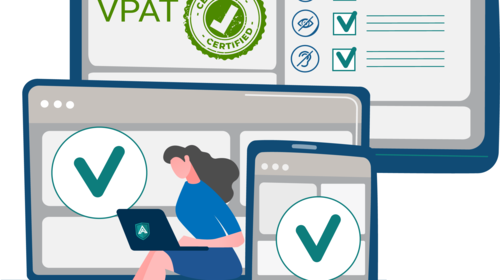
A VPAT is a standardized document used to explain how products meets accessibility standards such as:
- WCAG: Web Content Accessibility Guidelines
- Section 508: U.S. government accessibility law
When a vendor completes a VPAT for a specific product and version, it becomes an Accessibility Conformance Report (ACR). The ACR explains how well the product conforms to the required accessibility requirements, helping buyers make informed decisions. Both documents are essential to have when evaluating the accessibility of any digital product as they provide the data on accessibility levels for products and how closely they align with the set guidelines. As they are self-reporting documents, it is just as important to understand how to evaluate them as it is to request them.
How To Read a VPAT or ACR
Most VPATs and ACRs share the same basic structure. Understanding the layout helps you quickly separate strong accessibility claims from weak ones.
Information
- Check the basics first. Make sure the product name, version, and date are clearly listed. Confirm that the report matches the specific version of the product that you are interested in. Ensure that the report is a recently updated one. Outdated reports may not accurately reflect the current level of accessibility and may create a false image of the product.
Standards
- Each report should state which accessibility standard it’s evaluating (e.g., WCAG 2.1 AA, Section 508). Without this information, it is difficult to tell which standards the product is being measured against.
Conformance Levels
This is the heart of the ACR. Each accessibility criteria includes:
- A conformance level (Supports, Partially Supports, Does Not Support, etc.)
- An explanation of the result
Analyse the remarks section to find clues about how thoroughly the product was tested and what limitations might exist. This is where you will find comments on the product and the conformance levels. Vendors will explain how a feature works, what limitations exist, and under what conditions accessibility may fail. Having this information allows you to understand if any issues are minor or if they may cause major accessibility barriers.
Not all VPATs are created equal. Some vendors treat them as a bonus rather than a transparency tool.
Red Flags
- Overuse of “Not Evaluated” or “Does Not Support” without any explanation
- Missing report dates or versions
- Vague remarks like “Supports most features”
- Old VPAT versions (e.g., referencing WCAG 2.0 instead of 2.1)
- No mention of testing methods or if assistive technologies were used
VPATs should reflect the strengths and weaknesses of the product, not sound like a marketing brochure. Make sure it is an accurate representation of the product.
Signs of a Reliable Report
- Detailed explanations for each criterion
- Specifics on how the product was tested (manual, automated, screen readers, etc.)
- Up-to-date VPAT version and accessibility standards
- Honest admission of limitations and any plans for improvement
Transparency is crucial in a VPAT. A product does not need to be perfect but a good vendor will be honest about any issues with the product and will be committed to solving them.
Ensuring Accuracy
- Request a demo: Test the product using assistive technology or accessibility tools.
- Focus on real workflows: Don’t just test the homepage; try completing everyday tasks.
- Ask questions: Vendors should be able to explain their findings and remediation plans.
- Compare reports: Reviewing ACRs side-by-side can reveal which vendors take accessibility seriously.
VPATs and ACRs aren’t just paperwork, they’re essential tools for ensuring compliance, inclusion, and equity. They empower you to make informed decisions that align with your accessibility goals and legal obligations. When utilised honestly, they can encourage transparency and a commitment to accessibility.
Once you know what to look for, and what to avoid, you can confidently interpret accessibility documentation and hold vendors accountable for creating inclusive technology.